← Maxime Ronceray

Training and Onboarding Simulators

Interactive training that walks someone through a real process step by step, with proof that it actually happened.

When a task is complicated or genuinely dangerous to learn, a document or a slide deck is not enough. People skim it, forget it, or never open it, and none of that becomes obvious until something goes wrong on the job. A new operator who has only read a manual is not the same as one who has actually walked through the process, checkpoint by checkpoint, and answered questions along the way.

Paper based inductions have the same problem from the other side. A signature on a form tells you someone was handed a document, not that they understood it, and it is easy for a site to end up with a stack of signed forms and no real record of what was taught or checked. When something happens later, there is nothing to point to.

I build interactive simulators that fix both problems at once. They run in a browser on any device, guide someone through the actual process with checkpoints and knowledge checks along the way, and produce a completion record with scores and time stamps, so the training is not just delivered, it is provable.
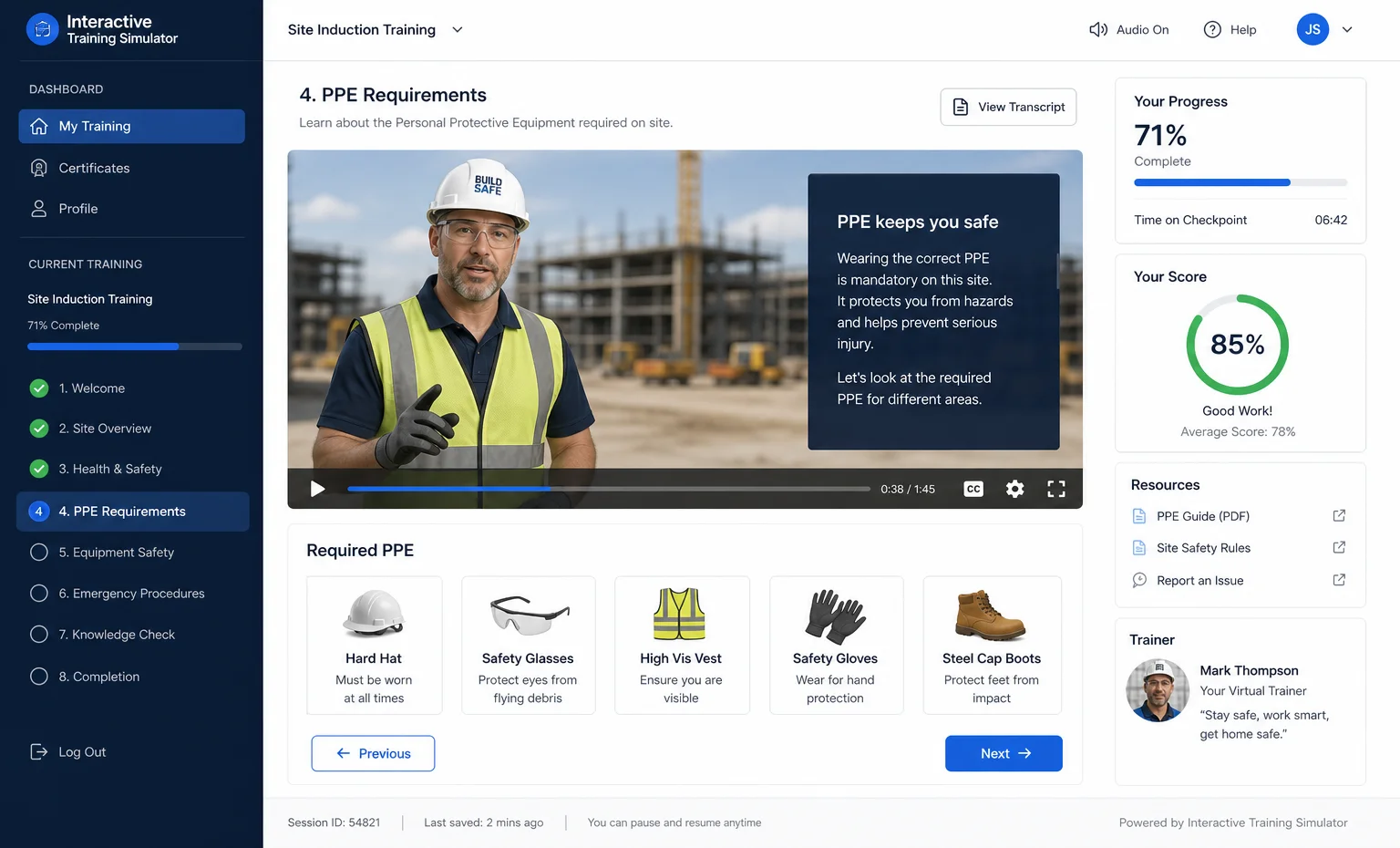
Interactive training simulator interface

What's included

Step by step guided flows, with branching where needed

I map your actual process first, checkpoint by checkpoint, then build a guided flow around it rather than a generic template. If the real process branches, for example a different sequence depending on the machine, the site, or an answer given earlier, the simulator branches too. The person going through it is always looking at the version of the process that actually applies to them.

Knowledge checks with instant feedback, scoring, and completion certificates

Questions sit right after the checkpoint they relate to, not bundled into a quiz at the end where context is already lost. Answers get instant feedback, the session keeps a running score, and finishing the simulator produces a completion certificate you can keep on file or hand to the person trained.

Audio narration and a guided character

Where it genuinely helps comprehension, I add a narrated voice and a guide character who walks the person through each step, so they are listening and looking rather than reading a wall of text. This matters most on the shop floor or a job site, where someone's hands and eyes are often busy with something other than a screen.

Runs on any device, no installation

The simulator is a web app. It opens in a browser on a phone, a tablet, a laptop, or a shared computer wired to a projector, with nothing to install and nothing for your IT team to manage. Anyone with the link can start the training.

Basic completion analytics

You get a record of who completed the training, when, their score, and how long they spent on each checkpoint. That is the difference between hoping training happened and being able to show it did.

Proven work

Excavator training simulator

Excavator Pre Operation Training Simulator

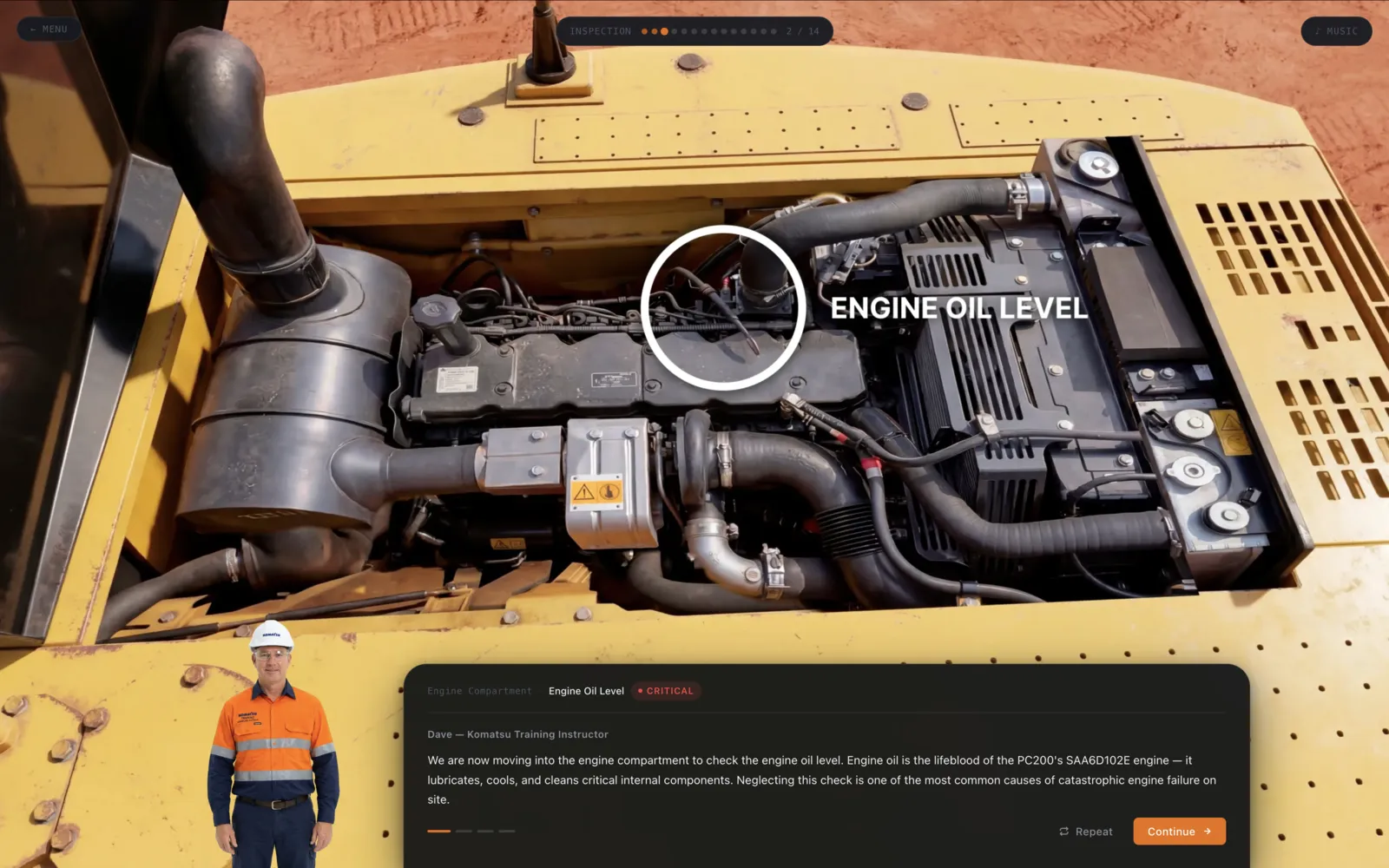
Paper based machinery inductions get skipped, forgotten, and cannot prove anything happened. I built a browser based training module that walks operators through fourteen checkpoints of a pre operation inspection, with a virtual instructor named Dave narrating each step using text to speech.

Instead of building a full 3D asset pipeline for the machine, I used AI generated imagery to deliver photorealistic detail on the close up inspection zones, the parts an operator actually needs to look closely at, such as hydraulic lines and safety decals. That kept the level of visual detail high without the time and cost of modelling and texturing a full 3D excavator.

Knowledge checks are placed right after the checkpoint they relate to, not grouped at the end, so the question is answered while the detail is still fresh. The simulator finishes with a certificate on completion and runs on any device with no installation, individually on a tablet or through a projector for a full classroom.

From $3,200 USD

Common questions

Does this need full 3D models of our equipment?

No. A full 3D asset pipeline is one option, and sometimes the right one, but it is not the only way to get strong visual detail. On the excavator project, I used AI generated imagery for the close up inspection zones combined with lighter 3D, which delivered photorealistic detail exactly where operators needed to look closely, without the time or cost of modelling and texturing a complete machine. I will tell you honestly which approach fits your equipment and your budget before we start.

Can it run without internet on site?

Yes, this can be built to work offline after the first load. Many industrial sites, workshops, and job sites have unreliable or no connectivity, so where that matters I design the simulator to cache everything it needs on first open and keep working without a connection from then on.

How do we prove training actually happened?

Every completion produces a certificate, and behind it sits a record of who completed the training, when, their score on the knowledge checks, and how long they spent at each checkpoint. That gives you an actual trail to point to, rather than a stack of signed paper forms that only prove someone was handed a document.

Can it run on a projector for a whole classroom, not just individually?

Yes. The same web app runs either way. It works on a shared computer wired to a projector for a group induction, or individually on a tablet or phone for someone working through it on their own, and I can build in whichever mode, or both, fits how your team actually trains people.

Start a project

Send me a message describing the task or process you need people trained on. I read every message personally and reply within one business day.

Start a project See my work