← Back to maximeronceray.com

Real Time 3D, Interactive, and Spatial Experiences

Browser based 3D, VR, and AR that helps someone understand a product or process faster, not decoration bolted onto a page.

Real time 3D interactive experience

I bring 3D into a project when it genuinely helps someone understand something they could not understand any other way: turning a product in their hands, walking around a space before it exists, or clicking through a mechanism to see how it actually works. If a static photo, a spec sheet, or a short video already does the job, I will tell you that honestly and save you the budget.

Where it does help, the difference is significant. A customer configuring a product can see exactly what they are buying instead of imagining it from a description. A salesperson can walk a client through a space that has not been built yet. A trade show visitor can inspect a mechanism from angles a display case never allows. These are cases where interaction replaces explanation, and that is the bar I hold every 3D project to.

I design and build these myself, end to end: the 3D or VR experience, the interface around it, and the interaction model that makes it feel natural rather than like a demo. The technology changes depending on where the experience needs to run, but the goal is always the same, someone understands your product faster because they got to interact with it.

Start a project See my work

What's included

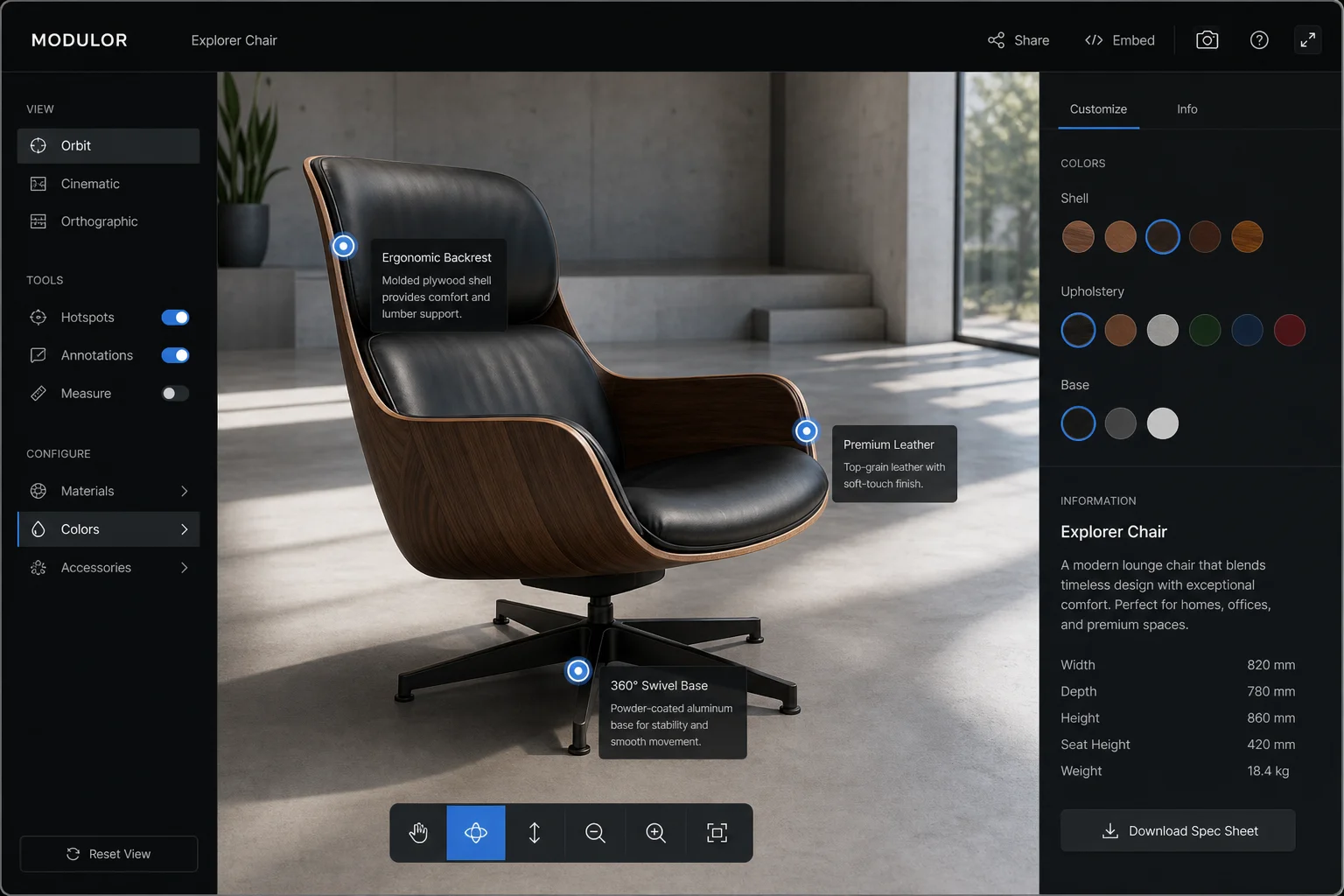
Browser based real time 3D with WebGL and Three.js

Most 3D work I do runs directly in a browser tab, no plugin, no app store, no install. I build these with WebGL through Three.js, which means a product configurator, an interactive diagram, or a spatial tool works the moment someone opens a link, on a laptop, a tablet, or a phone. This is the right choice whenever the experience needs to be shared as easily as a URL, embedded on a website, or used by a customer who will not download anything to look at a product.
VR and AR experiences built in Unity3D

When an experience needs a headset, higher fidelity rendering, or hand tracking hardware, I build it in Unity3D instead. This is where I put together things like a full scale VR walkthrough of a space, a multi user configurator synced between a headset and a controlling tablet, or an augmented reality overlay that places a virtual object in the real world through a device camera. Unity3D is also what I reach for when a client needs offline, standalone performance on dedicated hardware at a trade show or showroom.

Touchless, gesture based interaction

For showroom and trade show environments, I build touchless interfaces using hand tracking hardware such as Ultraleap, so a visitor can browse options, rotate a product, or trigger an animation with hand gestures alone, no screen contact. This matters in retail and event settings where a shared touchscreen is impractical, and it also tends to draw people in simply because it is unusual to interact with a product that way.

Photorealistic materials, lighting, and camera work

A 3D experience only builds trust in a product if it looks like the real thing. I build physically based materials that respond correctly to light, set up lighting rigs that flatter the product the way a professional photography studio would, and design camera behaviour, orbit limits, focus points, transitions, so the experience feels considered rather than like a raw 3D viewer. This is what separates a configurator someone trusts enough to buy from, from one that reads as a rough prototype.

Proven work

3D vehicle inspection tool

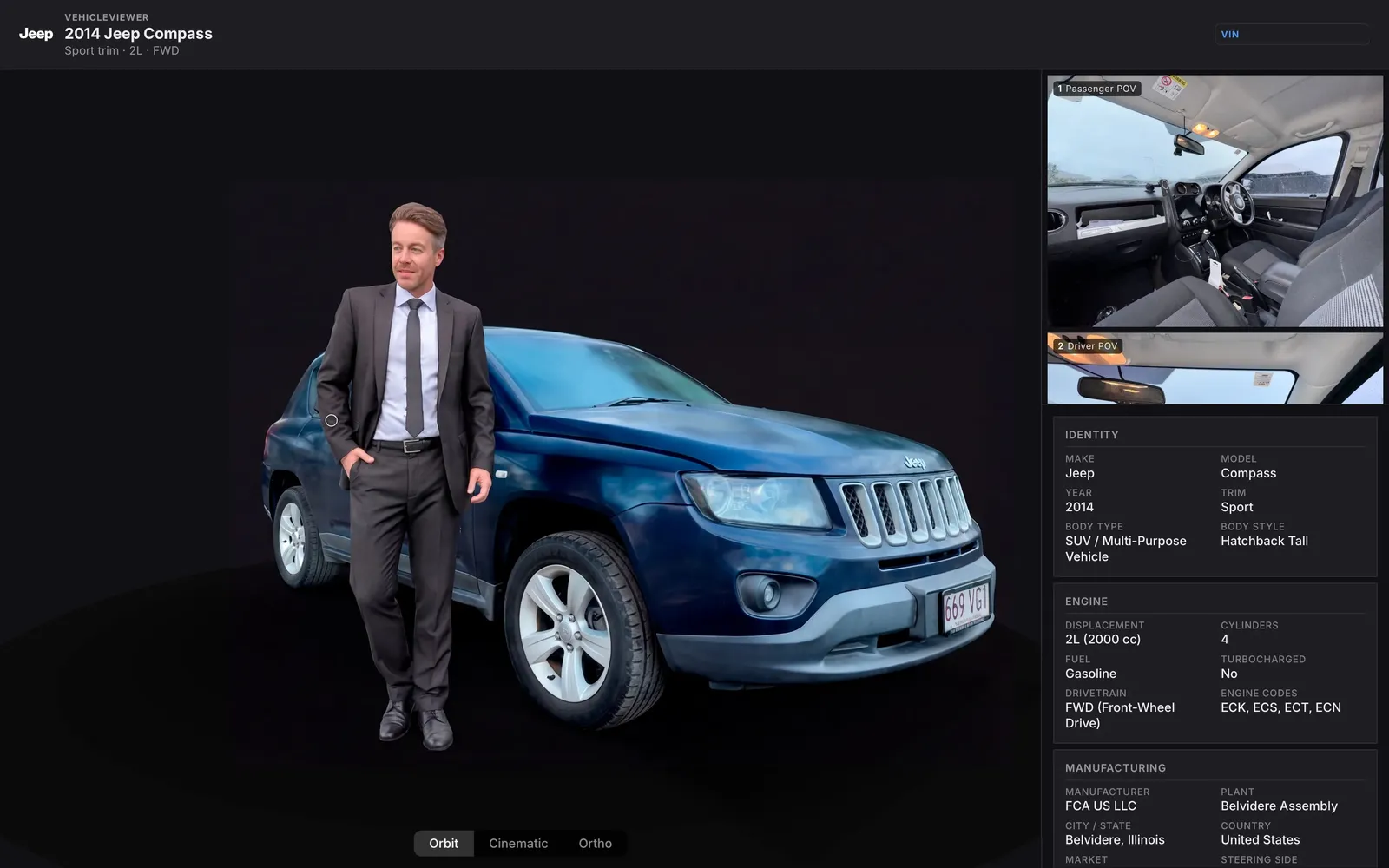
CarViewer, a 3D Vehicle Inspection Platform

Static photos do not build confidence in a used vehicle sale, so I built a platform that lets a buyer inspect a car the way they would in person, from any browser. The pipeline starts with a scan captured from an iPhone, processed with 3D Gaussian Splatting, then delivered as a real time preview directly on the website, no plugin required. The interface splits into two panes so a buyer can browse Points of Interest, damage markers backed by photo evidence, while orbiting the scan itself, and switches between three camera modes, Orbit for free inspection, Cinematic for a guided overview, and Orthographic for a clean, measurement style view of each panel.

Beyond CarViewer, this range extends across the full spectrum of spatial work. A VR cabin configurator for a business jet manufacturer let clients walk through a photorealistic virtual interior across desktop, PC VR, and iPad, with material samples fitted with NFC chips that applied a fabric instantly inside the headset. A luxury watch configurator combined a photorealistic iPad and PC experience with a touchless retail kiosk built around Ultraleap hand tracking, letting customers browse case and strap options with gestures alone. Together these cover the range this service is built around, browser based WebGL, headset VR, and gesture driven interaction, chosen project by project based on what the product actually needed.

From $2,500 USD

Common questions

Do I need a VR headset for this?

No, not for most projects. The majority of the 3D work I build runs directly in a browser using WebGL and Three.js, which means it works on a normal laptop, tablet, or phone with no headset and no install. A headset only comes into play when the goal is a fully immersive walkthrough or a specific VR or AR use case, and I will only recommend that route when it genuinely serves the project.

What if my product doesn't have 3D models yet?

That is normal, and it does not stop a project from starting. Depending on your product, I can work from existing CAD files if they exist, build models from photos and reference material, or in some cases scan a physical object directly, which is how the CarViewer platform captures each vehicle. I will tell you upfront which approach fits your product and what it adds to the timeline and cost.

Does this work on mobile?

Browser based 3D built with WebGL and Three.js is mobile friendly by design, it runs in the same browser tab on a phone as it does on a desktop, with the interface adapted for touch. Unity3D based VR and AR experiences are different, those generally need specific hardware, a headset for VR or a capable device camera for AR, so they are not something you open on any phone the same way. I will always be clear about which category your project falls into before we start.

WebGL or Unity3D, which do I need?

It depends on where the experience needs to live. If it needs to run inside a browser, be shared as a link, or sit embedded on a website, WebGL through Three.js is the right tool. If it needs a headset, high fidelity rendering, or offline standalone performance on dedicated hardware, Unity3D is the better fit. I do not default to either one, I ask what the experience needs to do and where people will actually use it, then recommend the right technology during the brief.

Start a project

Send me a short message describing the product or process you think would benefit from 3D or spatial interaction, and I will tell you honestly whether it is a good fit before anything else happens.

Start a project